Map Your Voice
Capture how you explain, teach, guide, and communicate.
Create your first AI twin by turning your voice, knowledge, style, and ideas into content, digital products, guides, prompts, templates, and simple offers.
Create Your Digital ProductCapture how you explain, teach, guide, and communicate.
Decide what your AI twin or avatar should help people understand, create, or do.
Use your AI twin to create content, resources, products, and simple offers.
Turn your knowledge into a paid digital product with a practical step-by-step system for choosing the idea, organizing the content, designing it, and preparing it to sell.
Get Create & Cash In for $37Draft blog posts, captions, and educational emails that sound like you.
Create guides, templates, and courses using your unique knowledge.
Create paid guides, templates, prompt packs, and resources built around one clear problem your audience wants solved.
Answer frequent questions and guide new students through your methods.
Turn complex ideas into simple frameworks people can actually use.
Establish easy workflows for showing up and sharing your expertise consistently.
AI Creators Academy is optional support for people who want mentorship, community, feedback, and personalized help while building their AI twin and related digital products.
Get guidance as you shape your AI twin’s voice, purpose, personality, and content direction.
Ask questions, share progress, and connect with others building AI twins and digital products.
Get help applying the tools to your own brand, ideas, products, and offers.

Updated: Sep 29
Turn a professional process into a digital product by identifying a repeatable workflow, defining the result it creates, documenting the decisions and steps, and packaging that method in a format buyers can use without your constant involvement. Start with a process you already perform successfully rather than inventing a new system from scratch.
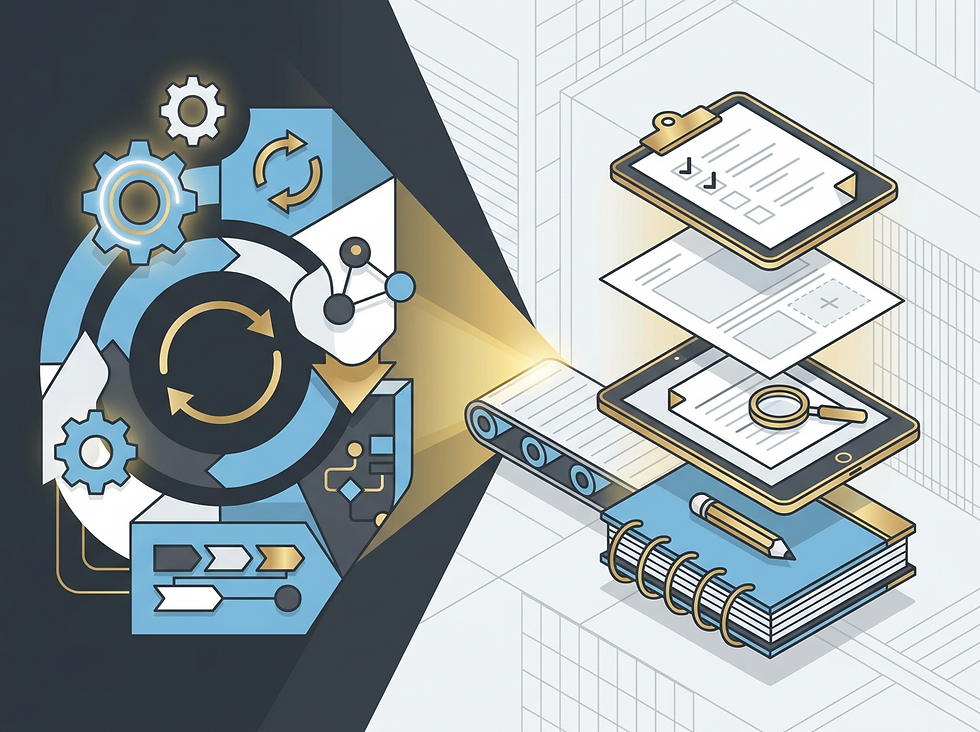
Turning your process into a digital product is a practical approach for professionals to identify and package their existing workflows as reusable digital assets. Unlike traditional content creation, this approach focuses on converting repeatable processes—such as client onboarding, proposal development, or follow-up sequences—into structured, scalable digital products. The goal is to create a solution that solves a specific problem for your target audience while reducing the need for repeated delivery work after the product has been tested and refined.
For example, a consultant who regularly structures client presentations could turn this process into a digital template that clients purchase to streamline their own work. This method directly addresses the core question of how to turn your process into a digital product by leveraging what you already do, rather than building something entirely new.
This approach provides significant value for established professionals by enabling them to monetize expertise without disrupting current operations. Professionals who implement this strategy can create additional sales opportunities that align with their professional identity while reducing the need for constant client engagement. Some customers prefer self-service resources for clearly defined problems, making this approach useful for consultants and business owners who can package a repeatable solution. A useful digital product can strengthen your professional positioning by showing how clearly you understand a specific customer problem.
This method also reduces the time spent on repetitive tasks, freeing up capacity for higher-value activities like strategic planning and client relationships. Adding a productized offer may diversify revenue, although results still depend on demand, pricing, promotion, and product quality. Before productizing a workflow, professionals should consider its complexity and whether converting it into a digital product could make the process harder to manage. Professionals must assess whether their current processes can be effectively digitized without introducing new points of failure or requiring excessive retraining.
Additionally, the transition period may involve temporary reductions in direct client interaction, which could impact trust-building efforts if not managed transparently. The decision to adopt this approach should be guided by the professional's long-term strategic goals, such as establishing thought leadership or achieving financial independence.
However, it is essential to recognize that not all professional workflows are suitable for digitization; highly specialized or emotionally charged interactions may necessitate continued human oversight. The effectiveness of this strategy also depends on the professional's ability to communicate the value proposition clearly to clients, as misunderstandings about the product's purpose can lead to decreased adoption rates. In practice, professionals should conduct pilot testing with a small group of clients before full-scale implementation to identify potential issues and refine the product's usability.
This iterative approach ensures that the digital solution remains aligned with client needs while minimizing the risk of a mismatch with the professional's actual expertise.
Implementing this approach requires a clear understanding of your current workflow and strategic decisions to package it as a digital product. Start by identifying a process you perform consistently that solves a specific problem for your target audience. Next, document the steps in detail, ensuring they are repeatable and scalable. Then, create a simple user experience that allows clients to access the product without requiring extensive technical knowledge. Finally, test the product with a small group of clients to refine the process before full launch.
This method ensures that you turn your process into a digital product without unnecessarily complicating current operations or tools. For instance, a consultant could document their proposal workflow, create a template for clients to use, and then offer it as a paid resource that clients can apply immediately. This step-by-step process minimizes disruption while maximizing the value you deliver.
Consider a marketing consultant who regularly plans social media content. They could package that process into a monthly content calendar, caption framework, approval checklist, and short setup guide. A financial professional could package a general budgeting workflow into an educational spreadsheet template with instructions, sample inputs, and clear disclaimers that it does not provide individualized financial advice. These examples demonstrate how professionals can turn existing processes into valuable digital products without significant changes to their current operations.
The key is to focus on a single, well-defined process that solves a clear problem for your target audience, ensuring the product remains practical and relevant. This approach requires careful consideration of the user's technical proficiency and the product's complexity. For instance, a financial model template might need to include step-by-step guidance to prevent confusion, while a social media template should avoid overly complex formatting that could frustrate non-technical users. Additionally, the product must be designed to maintain data integrity—ensuring that client inputs do not compromise security or lead to incorrect outputs.
Professionals should also test the template with a small group of users before full deployment to identify potential gaps in the workflow. The implementation process typically involves creating a user-friendly interface, integrating necessary tools, and providing clear documentation.
One of the most common mistakes professionals make when implementing this approach is overcomplicating the product. Many try to create overly complex digital products that require significant technical expertise, which defeats the purpose of turning your process into a digital product. Another mistake is failing to clearly define the target audience and the specific problem the product solves. Without this clarity, the product may not resonate with clients or support meaningful business results. Additionally, professionals often underestimate the importance of testing the product with a small group before full launch.
This can lead to issues with usability or relevance that are difficult to fix later. By avoiding these pitfalls, you ensure that your digital product remains practical, relevant, and aligned with your professional expertise.
Before launching, confirm that you have completed these steps:
1. Identify one repeatable process that solves a clear problem.
2. Define the intended customer and the result the product should help them achieve.
3. Document the process step by step.
4. Choose the simplest useful product format.
5. Build a clear first version with instructions and examples.
6. Test it with a small pilot group.
7. Gather feedback and correct usability problems.
8. Prepare the delivery materials, customer instructions, and support boundaries.
9. Launch the product, monitor results, and refine it.
Checklist — Best for a short, repeatable sequence.
Template — Best for a document or deliverable used repeatedly.
Workbook — Best when customers must make decisions or enter information.
Prompt pack — Best for repeatable AI-assisted tasks.
Mini-course — Best when explanation and demonstration are required.
Guided system — Best when several resources work together.
It is a practical approach for professionals to transform existing workflows into reusable digital products that solve specific problems for their target audience.
This approach is ideal for established professionals, consultants, creators, and business owners who have expertise in a specific area and want to monetize their processes without disrupting current operations.
Start by identifying a process you perform consistently that solves a clear problem for your audience. Document the process in detail, create a simple user experience, test with a small group, and then launch the product.
Specialized software is not always required. You can use existing tools like Google Docs, Canva, or simple web templates to document and deliver the product.
Costs depend on the product format, design needs, delivery platform, tools, and testing requirements. Start with a focused version, validate it with real users, and evaluate additional costs before adding advanced features.
Choose the simplest format that delivers the intended result. A checklist, template, workbook, prompt pack, mini-course, or guided system may be appropriate depending on the complexity of the process and the level of support customers need.
Avoid overcomplicating the product, failing to define the target audience clearly, and not testing the product before full launch.
After implementing this approach, you can scale the product by adding new features, improving the user experience, or targeting new audiences while maintaining your professional expertise.
Turning an established process into a digital product starts with one repeatable workflow and one clearly defined customer problem. Document the process, choose a practical format, build a focused first version, and test it with real users before expanding it. The goal is not to create the largest product possible, but to create a useful offer that reflects your expertise and produces a clear result.
Ready to turn your expertise into a digital product? Explore Create & Cash In to build a practical, revenue-focused offer using the knowledge and systems you already have.
Ready to turn this into a real digital product? Create & Cash In gives you a focused path from idea to finished offer.


Comments